
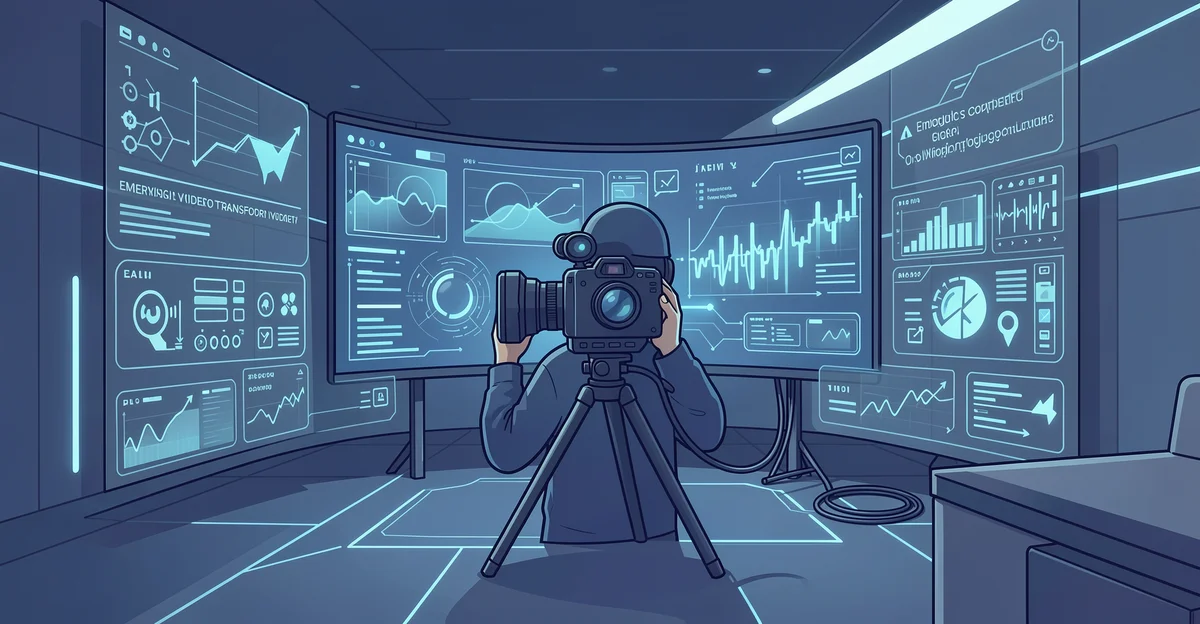
Video is evolving faster than ever, and the latest emerging video technologies are reshaping how creators plan, shoot, and publish content. From AI-assisted editing to immersive formats, these tools lower barriers and unlock new creative possibilities for beginners and professionals alike.
In this article, we break down the innovations worth your attention and explain how to apply them to real projects. Whether you want faster workflows or more engaging videos, you’ll find clear, actionable insights to help you stay ahead.
Introduction
Video content has become the default language of the internet. From short-form social clips to full-length documentaries, audiences expect moving images and sound. What is changing is not the appetite for video, but the tools used to make it. Emerging video technologies are lowering barriers, speeding up production, and opening creative doors that were once reserved for studios with deep budgets. This article explores emerging video technologies that could transform content creation with clear, practical guidance, so you can decide where to invest your time, attention, and money.
You do not need to be a technologist to benefit. Understanding the fundamentals helps you make informed decisions about which tools fit your workflow and which are hype. The pace of change can feel overwhelming, but a few durable principles remain: start with the story, test new tools on small projects, and build consistent habits that compound over time. Reliable information and consistent habits lead to better long-term outcomes.
Key Concepts
Before adopting any new platform, it helps to understand the categories of technology reshaping video production.
- AI-assisted editing: Tools that transcribe footage, remove filler words, auto-cut scenes, and even generate rough cuts from a script. These reduce the mechanical work of editing so creators can focus on storytelling.
- Generative video: Text-to-video and image-to-video models that produce original clips from prompts. Useful for B-roll, storyboards, and concept visualization, though still limited in length and consistency.
- Real-time rendering: Game engines and virtual production stages that render backgrounds and effects live, replacing green screens with LED walls and allowing actors to see the final world on set.
- Cloud-based collaboration: Browser-based editing suites where teams work on the same project simultaneously, with automatic versioning and no heavy local hardware required.
- Volumetric and 3D capture: Camera arrays and depth sensors that record a scene from multiple angles, letting editors reframe shots after filming or create immersive experiences.
- Neural upscaling and restoration: AI that increases resolution, reduces noise, and repairs old footage, making archival material usable in modern productions.
Each category solves a different problem. Some speed up post-production, some reduce the need for physical sets, and others create footage that never existed. Knowing which problem you actually have is the first step toward choosing the right technology.
Deep Dive
The most immediate impact is in editing. AI transcription already converts speech to text with high accuracy, and editors use that text to search footage, generate subtitles, and cut by script rather than by timeline. This shifts the editor’s role from assembly to curation. Instead of scrubbing through hours of clips, you describe what you want and review options.
Generative video is the most talked-about category, and also the most misunderstood. Current models can produce impressive short clips, but they struggle with continuity, physics, and brand consistency across longer pieces. The practical use today is in pre-production and support work: mood boards, animatics, placeholder shots, and quick visual explanations for clients. Treat generated clips as ingredients, not finished meals.
Virtual production is changing how physical space is used. By combining LED volumes with real-time rendering, a small crew can shoot in a jungle, a city street, or outer space without leaving the studio. The technology is no longer limited to blockbuster films; smaller stages and more affordable software have brought it within reach of mid-sized production companies. The trade-off is planning: virtual sets require more pre-visualization and coordination between the art, camera, and lighting teams.
Cloud collaboration and remote workflows have made location less relevant. Editors, colorists, and sound designers can work from different cities on the same project. This increases the talent pool but also demands disciplined file management, clear naming conventions, and reliable internet connections. The technology removes distance; it does not remove the need for process.
Finally, upscaling and restoration extend the life of existing content. Old interviews, archival news footage, and family videos can be brought to modern standards, opening new creative and commercial possibilities. The results vary, so always review at full resolution before committing to a final export.
Best Practices
New tools are exciting, but discipline separates a useful experiment from a distracting hobby. Keep these practices in mind.
- Start with the story: No technology fixes a weak narrative. Write the script and define the message before choosing tools.
- Pilot on low-stakes projects: Test new software on a short internal video or a personal project before using it for client work.
- Preserve your source files: Keep original footage, project files, and exports in separate folders with clear version names.
- Check rights and licenses: AI tools have different rules about commercial use and training data. Read the terms before publishing.
- Budget for learning time: New workflows rarely save time in the first month. Factor in training and experimentation.
- Keep a human review step: AI makes mistakes with names, context, and tone. Always review automated output before it reaches an audience.
- Maintain backups: Cloud tools are convenient, but local or secondary backups protect against outages and account issues.
Step-by-Step Guide

Step 1: Understand the fundamentals
Learn the core vocabulary: resolution, frame rate, codec, bitrate, and color space. These basics do not change as fast as the tools built on top of them. When you understand what compression does to quality or why frame rate affects motion, you can evaluate any new technology on its merits rather than its marketing.
Step 2: Assess your starting point
List your current hardware, software, team skills, and budget. Identify the biggest bottleneck in your production process. Is it editing time, location costs, visual effects, or distribution? The bottleneck tells you which category of emerging technology to explore first.

Step 3: Set clear goals
Define what success looks like in measurable terms. For example: reduce editing time by 30 percent, produce three social clips per week, or cut location costs by half. Vague goals like “use AI” lead to scattered effort. Specific goals let you test whether a tool actually helps.

Step 4: Gather necessary resources
Collect the hardware, software, tutorials, and people you need. This may mean upgrading a graphics card, subscribing to a cloud editor, or finding a collaborator who already knows virtual production. Set aside a small budget for trials and a block of time each week for learning.

Step 5: Apply the core methods
Choose one technology category and run a complete project from start to finish. Document what worked, what failed, and how long each stage took. Then decide whether to adopt, adapt, or abandon the tool. Repeat with the next category only after the first is integrated into your routine.
FAQ
What should I know about Emerging Video Technologies That Could Transform Content Creation?
Focus on the categories rather than specific products, because tools change quickly while needs stay stable. AI editing, generative video, virtual production, cloud collaboration, and upscaling each solve different problems. Understand your own bottleneck, test one tool at a time, and keep human review in the loop. Reliable information and consistent habits lead to better long-term outcomes.
Who is this guide for?
This guide is for content creators, small production teams, marketers, educators, and anyone who wants to use video more effectively without getting lost in hype. It assumes no deep technical background and focuses on practical decisions you can act on this week.
Conclusion
Emerging video technologies are not a single wave but a steady shift across editing, production, collaboration, and restoration. The winners will not be those who adopt every new tool, but those who understand their own workflow, test carefully, and build habits that last. Start with the fundamentals, choose one area to improve, and measure the results. Over time, small consistent gains in how you plan, shoot, and edit will matter more than any single piece of software.
Frequently Asked Questions
What should I know about Emerging Video Technologies That Could Transform Content Creation?
This guide covers the essentials of Emerging Video Technologies That Could Transform Content Creation with practical steps you can apply right away.
Who is this guide for?
Anyone looking for a clear, structured overview without unnecessary complexity.
You now have a solid foundation for Emerging Video Technologies That Could Transform Content Creation. Apply the best practices above and revisit this guide as your needs evolve.